Alienware 39 5K review: The ultrawide gaming monitor sweet spot - Engadget
Finally, a large ultrawide monitor with tons of vertical screen space.
Devindra Hardawar for Engadget
RATING : 9.4 / 10
- Incredibly bright OLED panel
- Tons of screen space
- Bold and accurate colors
- Multiple resolution modes
- Tons of ports
- Expensive
- Basic case design
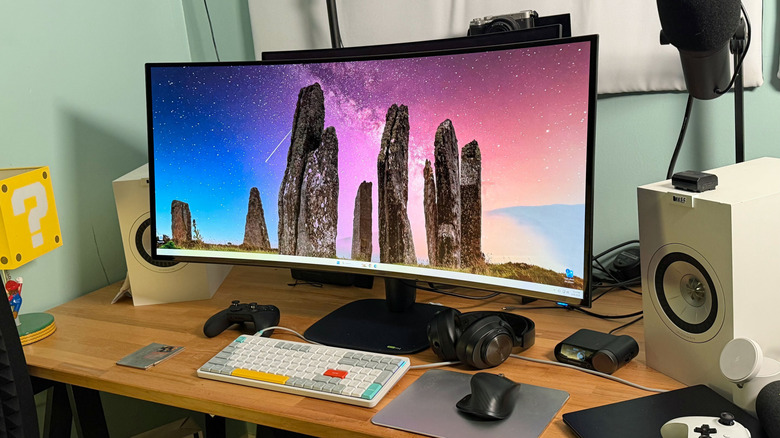
If I had to pick one monitor to use for the next ten years, it would be Alienware's new 39-inch 5K ultrawide display. Imagine taking a standard 32-inch widescreen monitor, stretching the sides out a bit, and you've got the basic idea of what this screen holds. It features the latest and brightest OLED display technology available, a 5K resolution that's incredibly sharp and an expansive screen that fills your entire field of view. It also has the ability to jump between 5K 165Hz and 1080p+ 330Hz modes at the touch of a button, which can be useful for shooters. Put it all together, and you've got a true sweet spot of ultrawide features.
Now you might think Alienware is lagging behind the likes of LG and Samsung, both of which offer 49-inch ultrawide screens, but that number doesn't tell the entire story. Whereas most of those screens are very wide but not very tall with 1,440 vertical pixels, the Alienware 5K has the useful height of a 32-inch 4K screen (2,160 pixels). Couple that with 5,120 ultrawide horizontal pixels, and you've got a screen that can fill your entire field of view, making it far more immersive for both gaming and diving into massive media editing timelines.
While the Alienware 39-inch 5K monitor is certainly pricey at $1,100, it's significantly cheaper than LG's 5K2K ultrawide UltraGear, which currently sells for $1,600. I'd also bet the two monitors share the same LG panel, as they both offer the same features, right down to dual 5K and 1080p modes. That makes Alienware's offering a bit of a deal — at least that's how my screen-obsessed brain would justify it. It does so many things well, I wouldn't mind shelling out for this screen.
What's notable about the Alienware 39 5K?
Devindra Hardawar for Engadget
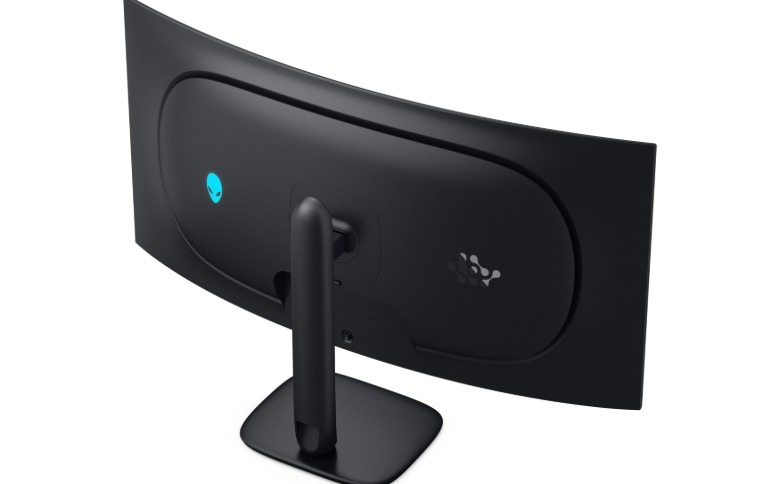
Similar to Alienware's new 34-inch ultrawide, the 39 5K isn't big on design flourishes. Its plastic case is simple, yet functional, and the only trace of decorative lighting is along the small Alienware logo on the rear. Crucially, it offers both height and tilt adjustment, something that's sorely lacking on Apple's $1,600 27-inch 5K Studio Display. Alienware was likely able to keep costs down by going with a relatively simple case (that could be a reason LG's comparable ultrawide is $500 more), and you can always throw the display on a monitor arm if you don't like the case's aesthetic on your desk.
rs 99 percent of the DCI-P3 color gamut, making it accurate enough for professional video and photo work.
OLED screens are already known for their deep black levels, since they don't rely on traditional backlighting technology like LEDs. The Alienware 39 5K takes things a step further with a polarizer layer on its panel, which rejects ambient light from reflecting off of the screen itself. That makes for darker black levels across all lighting environments, even very bright rooms.
 Devindra Hardawar for Engadget
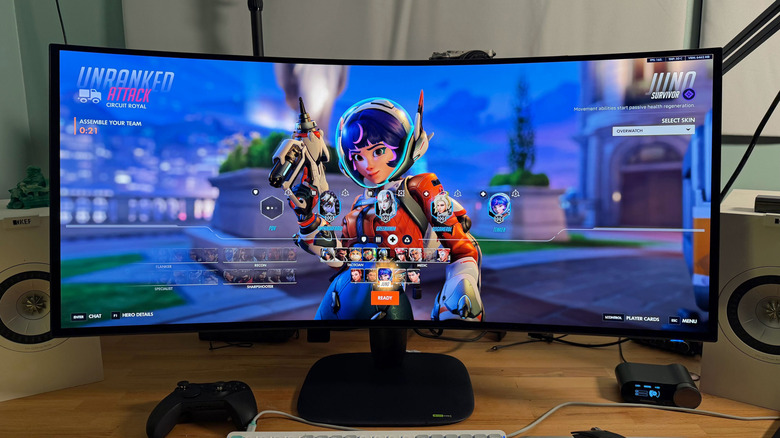
The Alienware 39 5K's native 165Hz refresh rate is slower than most monitors we see today — the company's 32-inch and and 34-inch OLEDs hit 240Hz and 280Hz, respectively — but I'd argue it's more than enough for most games. As I mentioned, the monitor can also switch to a 2,560 by 1,080 pixel mode to achieve a far faster 330Hz refresh rate. You can also scale it to standard 4K at 165Hz, or 24.5-inch (1,520 by 855) and 27-inch (1,680 by 945) at 330Hz.
Obviously, those modes sacrifice resolution for increased speed, but they could be useful features if you need to hop into the occasional competitive Overwatch match, where a faster refresh rate could give you the edge when it comes to landing a headshot.
As with every OLED screen, burn-in, or the imprinting of static ghost images directly on the screen, is a potential concern. But Alienware claims the 39 5K has several features to avoid that fate. Its tandem OLED panel can get brighter than previous OLEDs with less electrical stress on every layer of the screen. The screen also has a "personalized algorithm" that uses machine learning to predict your usage over time and optimize energy levels for every pixel.
"The algorithm improves upon the 'OLED Pixel Dimming' technology, which controls light for each of the 33 million pixels individually in 8K resolution, ensuring accurate color reproduction in both light and dark scenes," Alienware said in its review documentation. The Alienware 39 5K also features pixel refresh and pixel shift routines to keep screen uniformity, which are common among OLED screens. The company offers a three-year panel exchange warranty, which includes coverage for burn-in. It's hard to predict how long the hardware will actually last, but this OLED monitor has a better chance than many to reach my hypothetical 10-year milestone.
 Alienware
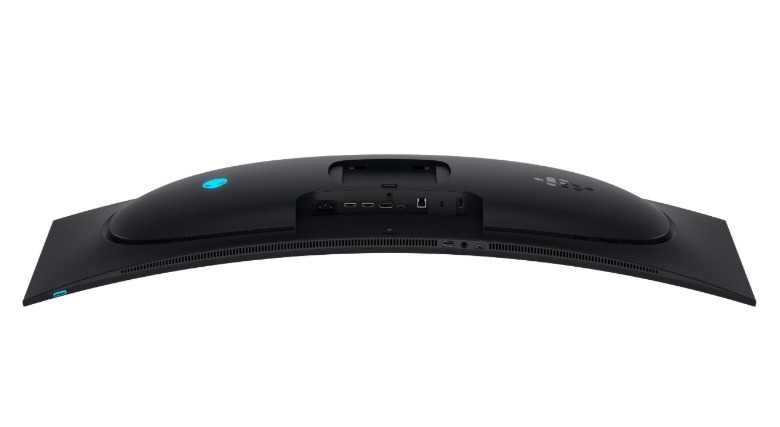
As for connectivity, the Alienware 39 5K sports two HDMI 2.1 ports: one with eARC and ARC, for connecting soundbars and receivers, and the other with HDMI 2.1 FRL to support its 5K2K resolution and high refresh rate. There's also a DisplayPort 2.1 connection and a USB-C with DisplayPort (and 90W power). A USB-B connection is used to pipe data back to your computer, and there are also two USB-A and one USB-C port for connecting accessories.
In-use: Ultrawide nirvana
Devindra Hardawar for Engadget
I've begun to feel a bit like Goldilocks when it comes to gaming monitors. I love the Alienware 32, a standard 16:9 widescreen, but I wish it were a bit wider. The Alienware 34 ultrawide impressed me, but I wish it were as tall as the 32's 4K screen. And while larger ultrawide screens like the LG UltraGear 49 looked absolutely insane on my desk, they were typically unwieldy. I couldn't comfortably see the sides of those screens, and they also felt a bit too short. The Alienware 39 5K gets everything just right.
I knew I was going to love this monitor the minute I placed it on my desk and I realized it perfectly eclipsed the Alienware 32 OLED that was sitting right behind it. The inner portion of the Alienware 39 5K was an exact match for the 32's entire display, while the ultrawide sides filled out my peripheral vision. Finally, this is a monitor I can immerse myself in completely without rearranging my desk, or fretting about not having enough vertical screen space.
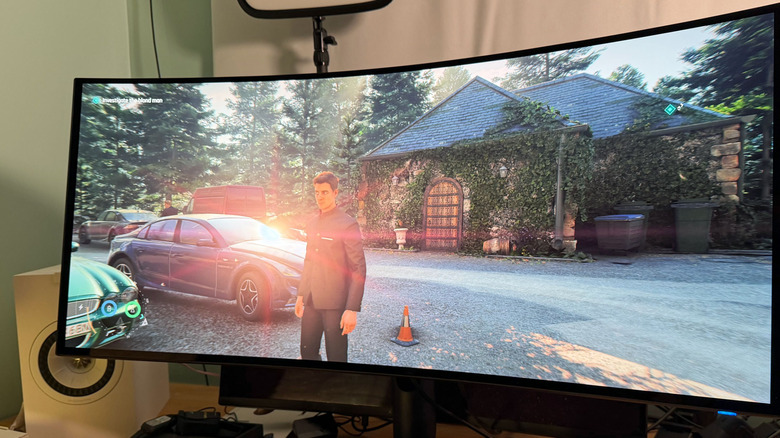
While the Alienware 39 5K isn't a QD-OLED screen like the 34-inch ultrawide I just reviewed (which uses a Samsung panel), it still felt like a next-generation OLED, with none of the dimness I've encountered on older screens. Its 300 nits of SDR brightness was more than enough for browsing the web and general computer work, while its 500 nits of HDR performance made games like Control, 007: First Light and Overwatch 2 practically leap off the screen. And in those peak moments of 1,300-nit HDR brightness, like sunlight bouncing off the windshield of an impeccably polished British Racing Green Jaguar, my eyes almost always teared up. PC gaming has never looked this good.
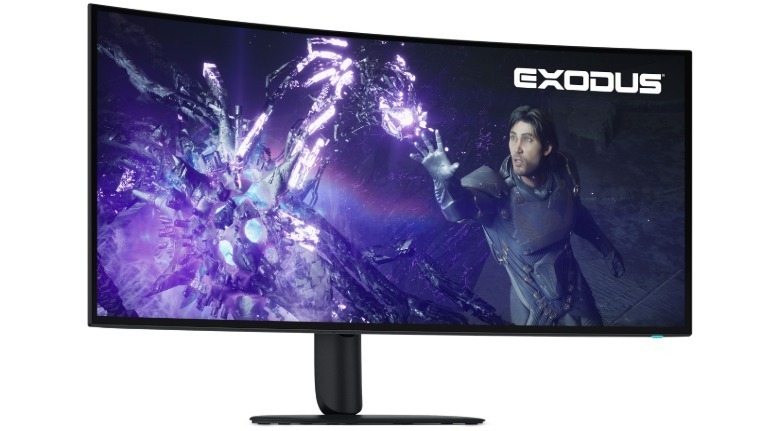
Control felt like an entirely new game when I replayed it on the Alienware 39 5K. I originally experienced it on an older 32-inch Dell ultrawide screen without HDR, but that was nothing like playing it on an ultrawide display that covered my entire desk. Outside of playing Control on a virtual reality headset, where I could scale up a virtual display to the size of a theater, I've never been so immersed in the game. Having the extra horizontal display area made it easier to keep track of enemies trying to flank me, and the Alienware 39 5K's excellent HDR performance made the gleaming floors and office clutter of the FBC seem far more realistic.
 Alienware
I also spent several hours playing Overwatch in the screen's native 5K2K resolution and 165Hz refresh rate, as well as its 2,560 by 1,080 and 330Hz mode. They're both impressive for different reasons. Overwatch 2 looked ludicrously sharp and detailed in the higher resolution, naturally. It's such a low-impact game that many modern video cards should have no trouble reaching 120 fps at that resolution. (I was playing on an RTX 5090, and as you'd imagine, it was just fine.)
Not surprisingly, Overwatch was far less detailed in the lower resolution — with a 39-inch screen, it's hard to ignore blurry textures and text. But it was noticeably smoother as I hopped around the map, hoping to score a headshot with Hanzo and learning how to handle D.Mon's sick mech-suit. There wasn't any noticeable tearing as I rushed around the map and frantically tried to prove my worth, thanks to the monitor's G-SYNC and Freesync support.
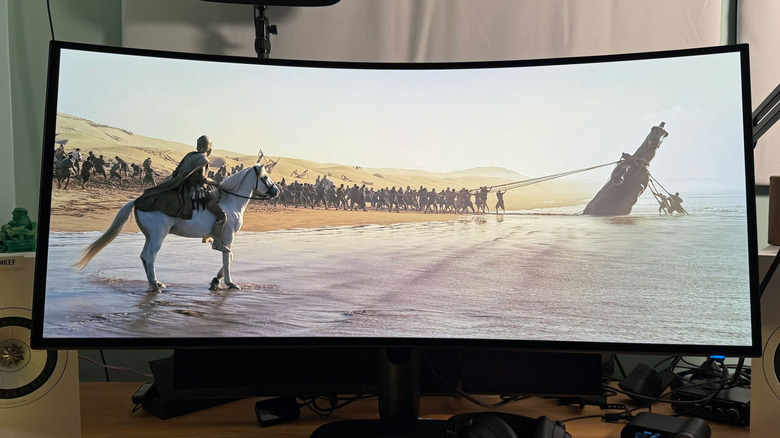
When I was able to peel myself away from games, I also loved using the Alienware 39 5K to browse the web, take notes and write a large chunk of this review. Text looks absolutely crisp, though I'll admit I was never truly bothered by the purple text fringing on older OLEDs. The screen's ultrawide resolution also makes it perfect for watching anamorphic widescreen movies and videos, which fill the entirety of the display. Just be aware that standard 16:9 widescreen content will have black bars along the sides of the screen (at which point, this is effectively just a 32-inch 4K monitor).
The Alienware 39 5K features the same basic on-screen controls as Alienware's other monitors, except now its control joystick is along the bottom rear of the monitor, instead of right on the bottom edge. I found it easy to navigate, though it's certainly a bit more archaic than the smart display controls I've seen on Samsung's monitors. You'll also need to deal with its menus every time you want to switch display modes.
Should you buy the Alienware 39 5K?
If you're in the market for a large gaming monitor, the $1,100 Alienware 39 5K is definitely one to consider. It offers more vertical screen space than most other ultrawides, it has the latest and greatest OLED screen technology and it's cheaper than LG's 39-inch 5K2K monitor. Consider it an investment in your gaming future. And given that monitor prices haven't exploded like other components, it's probably smarter to invest in a good screen now, instead of a RAM or GPU upgrade.
Wrap-up
Devindra Hardawar for Engadget
I can't think of what else I'd want in a gaming monitor, honestly. The Alienware 39 5K is large enough to immerse me in all of my favorite games, it's one of the brightest OLEDs I've ever seen and it can also transform into a faster esports screen on a dime. Just put me in a room with this screen for the next decade, and I'll be happy.